Why Download the Rokda7 APK Instead of Playing in a Browser?
While you can absolutely enjoy Rokda7 through your mobile browser, downloading the dedicated APK application unlocks a significantly better experience. The Rokda7 APK is a native Android application that loads faster, uses less data, and gives you instant access to all games, bonuses, and account features without the overhead of a web browser.
For Indian players who want the best possible gaming experience on their smartphones, the APK is the preferred choice. Here's what you get with the dedicated app:
- Faster load times — Games launch in seconds, not minutes
- Push notifications — Get alerted about bonuses, promotions, and tournaments instantly
- Smoother gameplay — Optimized for touch controls on Android devices
- Offline lobby — Browse games and check your balance without constant re-authentication
- One-tap access — No need to type URLs or bookmark pages every time
- Better security — The APK uses encrypted connections for all transactions
Since the Rokda7 app is not listed on the Google Play Store (a common situation for gaming platforms in India), you need to download the APK file directly and install it manually. This process takes less than 5 minutes and is completely safe — we'll walk you through every step.
System Requirements for Rokda7 APK
Before you start the download, make sure your device meets the following minimum requirements. The good news is that Rokda7 is designed to run smoothly on a wide range of Android devices, including older and budget smartphones.
- Operating System: Android 5.0 (Lollipop) or higher
- RAM: 2 GB minimum (3 GB or more recommended)
- Storage: At least 100 MB of free space
- Internet: Stable 3G/4G/5G or Wi-Fi connection
- Processor: Any quad-core processor (1.4 GHz or faster)
- Browser: Chrome 60+ (only needed for initial download)
If your device runs Android 5.0 or above and has at least 2 GB of RAM, you're good to go. Most smartphones sold in India from 2017 onwards will comfortably meet these requirements. iOS (iPhone) users can access Rokda7 via the mobile browser for a fully optimised experience.
Step 1: Enable "Unknown Sources" or "Install Unknown Apps" on Your Android Device
Because the Rokda7 APK is not downloaded from the Google Play Store, you need to tell your Android device that it's allowed to install applications from other sources. The exact steps vary depending on your Android version:
Android 8.0 (Oreo) and Above — Most Modern Phones
On newer Android versions, the permission is granted per-browser or per-app rather than system-wide. This is actually more secure:
- Open your Settings app
- Tap Apps & notifications (or just "Apps")
- Find and tap your browser (e.g., Chrome)
- Tap Install unknown apps
- Toggle on "Allow from this source"
Android 7.0 (Nougat) and Below — Older Phones
Older Android versions use a single system-wide toggle:
- Open Settings
- Go to Security (or "Lock screen and security")
- Find Unknown Sources
- Tap the toggle to enable it
- Confirm any warning prompt that appears
Samsung Devices (One UI)
Samsung phones with One UI have a slightly different path:
- Go to Settings → Biometrics and security
- Tap Install unknown apps
- Select your browser or file manager
- Enable "Allow from this source"
Ready to Download Rokda7 & Claim Your Bonus?
Get the APK directly from the official Rokda7 platform. New players get a ₹10,000 welcome bonus — don't miss out!
📱 Download & Claim ₹10,000 Now18+ | Play Responsibly | Independent Affiliate Platform
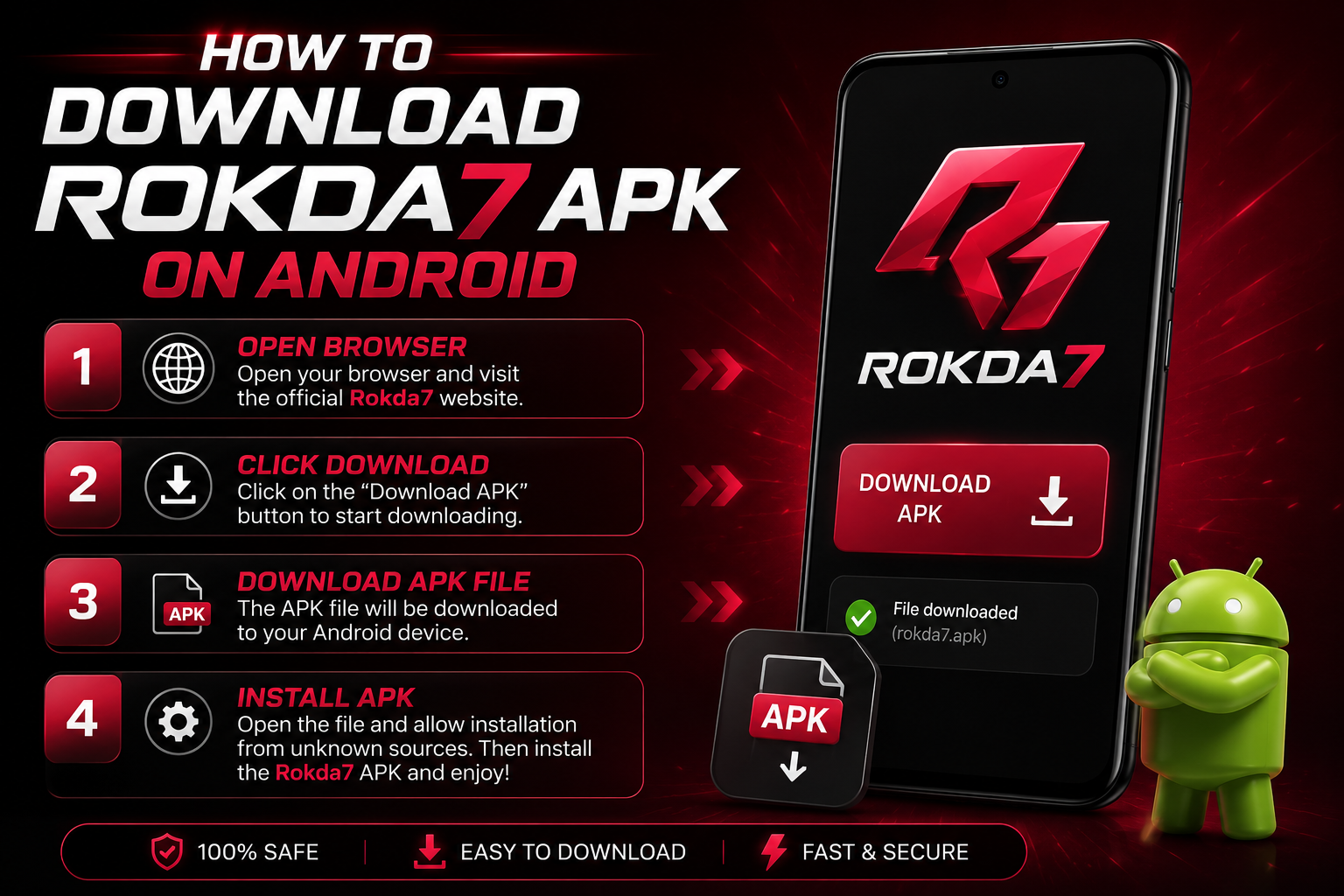
Step 2: Download the Rokda7 APK File
Now that your device is ready to install the APK, follow these steps to download the file:
- Open Chrome or any browser on your Android device
- Visit the official Rokda7 platform via our link: Rokda7 Official Platform
- Look for the "Download APK" button on the homepage or in the menu
- Tap the download button — your browser will show a download confirmation
- Tap "Download" to confirm and wait for the file to download (usually 30–60 seconds on 4G)
- You'll see a download notification in your notification bar when it's complete
The APK file is typically between 30–80 MB in size. Make sure you have a stable internet connection during the download to prevent file corruption, which can cause installation errors.
Step 3: Install the Rokda7 APK
Once the download is complete, installing the APK is straightforward:
- Pull down your notification bar and tap on the downloaded Rokda7.apk file
- Alternatively, open your Files or Downloads app and find the APK file
- Tap the file — an installation dialog will appear
- Review the permissions the app requests, then tap "Install"
- The installation will take 10–30 seconds
- When you see "App Installed", tap "Open" to launch Rokda7 immediately
That's it! You now have the Rokda7 app installed on your Android device. You can find it in your app drawer or on your home screen with the Rokda7 icon.
Step 4: Register or Log In
If you're a new player, tap "Register" and fill in your details to create an account. Make sure to enter your correct mobile number and date of birth (you must be 18 or older to play). Once registered, your ₹10,000 welcome bonus will be credited to your account automatically after your first qualifying deposit.
Existing players can simply log in with their username and password to pick up right where they left off.
Troubleshooting Common APK Installation Issues
Running into a problem? Here are the most common issues and how to fix them:
"Install Blocked" or "Unknown Sources Not Enabled"
This means Unknown Sources/Install Unknown Apps is still not enabled. Go back to Step 1 and follow the instructions for your specific Android version. Make sure you enable the permission for the specific browser you used to download the file.
"App Not Installed" Error
This usually means the APK file is corrupted or incomplete. Delete the downloaded file and re-download it. Make sure your internet connection is stable during the download. If the problem persists, try using a different browser to download the APK.
"Insufficient Storage" Error
Free up storage space on your device by deleting unused apps, old photos, or clearing app caches. You need at least 150 MB of free space for a comfortable installation. Go to Settings → Storage to see what's using space.
App Crashes After Installation
If the app opens but crashes immediately, try the following:
- Uninstall the app and reinstall it fresh
- Restart your phone and try again
- Check if your Android version is 5.0 or higher
- Clear your phone's cache: Settings → Storage → Cached Data
Can't Find the Downloaded APK File
Open your phone's built-in Files app (or "My Files" on Samsung). Look in the Downloads folder. If you still can't find it, use the search function and search for "rokda7".
Is the Rokda7 APK Safe to Download?
Safety is the number one concern for any player downloading an APK file, and rightly so. The Rokda7 APK is safe to download when obtained from the official Rokda7 platform. Here's why you can trust it:
- Official source only: Only download from the official Rokda7 platform link — never from third-party APK sites
- SSL encryption: The download uses HTTPS, protecting the file from tampering during transfer
- No excessive permissions: The app only requests necessary permissions (internet access, storage for saving data)
- Regular updates: The app is regularly updated to fix bugs and improve security
- Virus-scanned: The APK is regularly scanned for malware
As a precaution, you can scan the downloaded APK with a trusted antivirus app like Malwarebytes or Avast before installing. This is good practice for any APK you download outside of the Play Store.
Keeping Rokda7 APK Up to Date
Unlike Play Store apps that update automatically, APK apps need to be updated manually. When a new version of Rokda7 is available, you'll see a notification inside the app or a banner on the Rokda7 website. Simply download the new APK and install it — your account data and settings are stored on Rokda7's servers, so you won't lose anything during an update.
It's recommended to keep the app updated to access the latest games, bonus features, and security improvements.
Conclusion: Start Playing in Minutes
Downloading and installing the Rokda7 APK is a simple 5-minute process that gives you the best mobile gaming experience available in India. Follow the steps above — enable Unknown Sources, download from the official link, tap to install, and you're ready to play.
Remember, new players who register through our link receive a ₹10,000 welcome bonus. This is one of the largest welcome offers available on any Indian gaming platform, and it's the perfect way to start your Rokda7 journey.
Download Rokda7 APK & Claim ₹10,000 Bonus
Over 50+ games. Instant UPI withdrawals. Join thousands of Indian players on Rokda7 today.
📱 Get the App & Play Now18+ | Not available in AP, Assam, Odisha, Telangana, Nagaland, Sikkim